More than one-third of the total U.S. population -- 117 million people -- used downloaded mobile apps as of this past March, according to market analyst comScore. Given that staggering figure, and considering the increasing number of professionals who bring smartphones or tablets to meetings, the soaring popularity of event-specific mobile apps comes as no surprise. But selecting those apps and implementing them for a meeting takes patience and persistence; as with any new technology, planners are learning best practices as they go. Based on feedback from industry experts, following are some common missteps -- and suggestions for how to avoid them.
1. APP ENVY 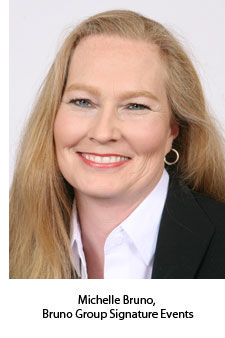 "Many planners select mobile apps for their events just because 'everyone else' has one," points out industry expert Michelle Bruno, CMP, CEM. Bruno, a principal of Salt Lake City-based Bruno Group Signature Events and author of a buyer's guide to event apps, stresses that app use should be a business decision, not simply an experiment with cool gadgetry. "It's better to select a mobile app as a solution to an existing problem or as a tactic that aligns with the organization's strategy," she advises.
That approach will indeed produce better results, notes Kathleen Gilroy, CEO of app provider SwiftMobile in Cambridge, Mass. "In general," she says, "we believe that apps help people decide how to spend their time." Begin from that standpoint, Gilroy suggests, and decide which features will best solve that problem given the parameters and format of the specific event.
2. FEATURE FRENZY All too often, says Gilroy, event organizers contact SwiftMobile with an extensive checklist of requirements. "They have gotten a list of all the available features, and they're looking for at least 25 different things -- a Swiss army knife version of everything an app can do," she explains. "That ignores the fact that 80 percent of the engagement is going to come from 20 percent of the features."
Which features? For SwiftMobile customers, it's about the sessions. "Eighty percent of the people access event apps for session information," says Gilroy. "So how you structure and manage the sessions, provide access to them, filter them, the 'what's on now,' feature -- all the different ways to get people quickly to the information -- that's going to drive engagement with the app."
A meeting has many stakeholders, Gilroy notes, and different stakeholders might have different requirements; the trick is to get their input in advance and assess those requirements. What features will be essential to fulfill them?
The focus on features affects the design, too, adds Anthony Krumeich, CEO of San Francisco-based app developer Bloodhound. "The mobile environment has a unique look and set of capabilities," he says. "You have to think about the design. It's not the same as a regular website, and it's not the same as your printed event guide. You can't try to cram too much in there -- the number of features can be a big problem affecting design."
"Stay focused and keep it simple," advises Michelle Bruno. "Start with a handful of functions based on the event strategy or priorities, and add features as adoption grows."
3. USER-UNFRIENDLY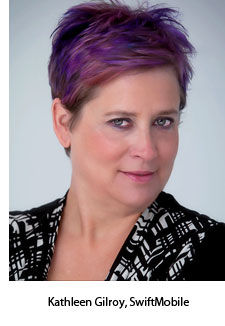 "Apps are highly
experiential," notes Kathleen Gilroy. "It's all about usage. Nothing
else really matters." Meeting attendees won't return to an app if it's
too difficult to navigate or if it takes too long to find relevant
information.
"Apps are highly
experiential," notes Kathleen Gilroy. "It's all about usage. Nothing
else really matters." Meeting attendees won't return to an app if it's
too difficult to navigate or if it takes too long to find relevant
information.
Bloodhound's Krumeich agrees that planners must
keep ease of use in mind. "Sometimes people think attendees are going to
download an app and will want to know all of the advanced things that
they can do, all of the things they can accomplish, and that they're
going to spend time reading the manual to learn about it," he says.
"Obviously, they're not going to do that. They'll download it while
they're busy doing something else. If they can quickly find the core
features that they want, they're going to end up getting a lot more
value out of it."
When selecting a provider, ask for engagement
metrics, suggests Gilroy. "It's not about the number of apps a provider
has in the iTunes Store," she says, "because meetings are all different.
It's about audience engagement results." SwiftMobile builds Google
Analytics into its apps so the company can track page views, number of
unique users, percentage of users that access the app more than once,
average number of times per day users access the app and amount of time
per day each person uses the app. As app providers get more experience
under their belts, they can offer reasonable benchmarks concerning
attendee engagement and what to expect.
The best way to assess
an app's ease of use is to test similar apps created by the vendor under
consideration. "Download the apps and get the opinions of people who
will be going to your event," suggests Anthony Krumeich. "If you get
five people to check it out, just ask them what they think. Don't tell
them about your feature checklist or expectations, just see how they
liked using it. You'll get some pretty valuable feedback."
To
make things easiest for attendees, says Michelle Bruno, avoid
unnecessary barriers to use of the app, such as password protection or
user authentication. "It kills adoption and really isn't necessary," she
notes, "unless some top-secret information is being disseminated
through the mobile platform."
6 Ways to Boost Use of Event Apps
Are attendees using your app? Too often, meeting organizers simply fail to spread the word effectively. Bob Vaez, president of Toronto-based event app provider EventMobi, offers six tips for increasing app usage.
1. Educate attendees. Apps are designed to be simple, but the technology is still new enough that people need guidance. "Providing how-to videos or instructional PDFs before your event is a great way to ensure attendees get the most out of your app," says Vaez. "Most mobile event app companies can make your job easier by providing you with helpful resources that you can pass along to attendees."
2. Plug it via social media. "Facebook is a great place to share photos," says Vaez. "Post screenshots of your event app, include your URL, and explain to attendees how the app can enhance their experience." On LinkedIn, market the app as a professional resource to stay on top of things. And via Twitter, engage future attendees individually. "Seek out a few potential attendees who are influential in their own circles," suggests Vaez. "Mention the app and ask them to share it with their networks."
3. Use your website and e-mail. Simple, eye-catching web banners and badges work best. Notify attendees when the app is first released and again about a week before the event. "Include the link, feature highlights and a short instructional brief," Vaez suggests.
4. Post signs and banners on-site. "Whether it's at the venue entrance, registration table or refreshments area, a nicely designed poster explaining where attendees can access the app will greatly improve awareness and usage rates," Vaez points out. The app provider might have materials you can use.
5. Ask speakers to help. Presenters can tweet a pre-event message to their followers, including a link to the app. Also, some hotels will let you leave phone messages for attendee guests, during which you can mention the app. "Inviting a keynote speaker to record the message would likely have the greatest impact," suggests Vaez.
6. Make an announcement. A brief explanation of the app's features and benefits can easily be added to the host's opening remarks prior to the event's first general session.
ILLUSTRATION: ©iStockphoto.com/mstay
4. BUDGET BUSTING
"Don't fall for the 'you get what you pay for' maxim," warns Bruno.
"Some mobile apps don't work well no matter what you pay for them.
Expensive, native, customized apps aren't always the best solution, and
there now are many apps in the low- to midprice range that are excellent
performers and extremely user-friendly."
 Not
surprisingly, Krumeich -- whose Bloodhound app is free to planners --
agrees. "People generally go into the process thinking, 'My event is
super unique, and so I want something that's specially tailored to it.'
They want to go out and have somebody build exactly what they're looking
for. The reality is, there are a lot of offerings out there that are
anywhere from free to low-cost. An app doesn't have to cost $30,000 to
fit your event."
Not
surprisingly, Krumeich -- whose Bloodhound app is free to planners --
agrees. "People generally go into the process thinking, 'My event is
super unique, and so I want something that's specially tailored to it.'
They want to go out and have somebody build exactly what they're looking
for. The reality is, there are a lot of offerings out there that are
anywhere from free to low-cost. An app doesn't have to cost $30,000 to
fit your event."
5. FAILING TO PROMOTE "Apps
don't market themselves," points out Michelle Bruno. "It's important
that planners budget and plan for a promotional campaign to introduce
the app before the meeting."
Of course, app providers have a
vested interest in that promotion -- their successful engagement metrics
rely on planner marketing efforts -- but they can only do so much.
"It's the old adage about leading the horse to water," says Gilroy. "We
do request marketing, and we offer recommendations. But I think,
particularly the first time out, the meeting planners are nervous that
the apps aren't going to work well and that people aren't going to like
them. So they don't want to overinvest in promoting them because they
don't want to look bad."
SwiftMobile recommends at least three
announcements to get the word out about an event app: one e-mail as soon
as the app is in the app store, a second blast two days before the
event and a third announcement on the day of the event -- each with
links included to download the app, as well as to a brief video demo
online. "The demo movies should be short," Gilroy explains, "they should
be feature-based, and they should be oriented around the features that
people are using. They're just simple tutorials that are really easy to
make and really nice to have, as a way of boosting usage and engagement.
You can post them to YouTube."
6. UNDERESTIMATING SPONSORSHIP POTENTIAL
While a significant chunk of app customers have some kind of
sponsorship model in place, they typically don't recognize the true
potential of the format. In many cases, event organizers have been
content with enough revenue to merely cover the cost of development.
"We've
seen as much as $80,000 in advertising being sold for one meeting,"
notes SwiftMobile's Gilroy. "So the opportunities are definitely there."
When planners can point to high engagement metrics, she adds, it's a
compelling pitch.
Maximizing sponsorship potential requires a
shift to a mobile mindset, notes Krumeich. Too often, "the app ends up
being more like a printed guide," he says. "It's in digital format, but
still not interactive in the way that people will want and have come to
expect, and that you can do very easily in mobile." One example, he
notes, is the fact that many times exhibitors or sponsors don't get
their own app or access. "They don't have the ability to load their own
profiles or manage them. So the people who are paying the most to go to
the event don't have their own presence," he points out.
"It's
like all new media," says Gilroy. "They're just scratching the surface.
It's like when television came in, people did theater on television.
This is the same thing -- they're trying to translate what's been going
in their print programs, and the advertising they sold there, to the
mobile world." SwiftMobile offers clients a number of sponsorship
suggestions, from rotating banner ads to sponsored content, primarily
designed to build branding. "It's not so much about lead generation as
it is about brand development and brand awareness," Gilroy says,
"especially when you're competing with so many other brands on the show
floor."
7. RUSHING TO JUDGMENT "Slow
adoption in the first year is typical," Bruno cautions. "Planners
shouldn't be disappointed or consider the app a failure if the majority
of attendees don't use it," she says.
With that in mind, they
should feel free to explore their options. "Don't feel locked into a
single solution or provider after the first year or two," Bruno
advises. "There are enough low-cost, high-performance solutions out
there to make a change easy and painless."