Rules of Engagement
 Asking attendees to put away their mobile
devices
Asking attendees to put away their mobile
devices can appear patronizing or pedantic, but in some instances such
rules might be appropriate. Planners should consider the size of the
group, the intention of the meeting and the company culture.
A
large lecture-style meeting might require less audience engagement than a
10-person post-mortem of a proposal, where everyone present is expected
to contribute.
For smaller meetings, setting ground rules at
the start, with attendee input, is one way to ensure that everyone is on
the same page about multi-tasking. "If you can get a group to build an
agreement at the outset, then people feel shared responsibility," says
San Francisco-based meetings consultant Linda Dunkel. -- M.L.
Illustration: ©iStockphoto.com/KHALUSDoug Landis recalls a time with a previous employer when people had to take the batteries out of their cell phones upon entering a meeting room, and drop their dismantled devices into a basket. "Only when the meeting was over were we allowed to fish them out," says Landis, now vice president of sales productivity for Box, the Los Altos, Calif.-based cloud-sharing and collaboration company. Meetings at Box could not be more different.
"We don't discourage mobile device usage at Box," says Landis. "We want our employees to be as productive as possible and work in a way that feels the most natural to them, with no barriers."
At Box, which counts 92 percent of Fortune 500 companies as clients, leveraging technology is a core corporate value -- and that extends to the meeting room. But in organizations of all types, the vast majority of attendees are equipped with smartphones and other devices that can either improve or impede productivity. The challenge for planners is keeping gadget-toters on task and using their phones or tablets for purposes of the meeting, not for updating Facebook or playing Angry Birds.
"The reality is that we're competing for attention, but we're not going to conquer it by asking people to surrender their phones on the way into the meeting room," says Linda Dunkel, chair emeritus and senior consultant of Interaction Associates, a Boston- and San Francisco-based consulting firm that specializes in helping clients achieve "return on involvement" in the workplace.
Policing attendees can turn a meeting environment sour, but there are plenty of clever ways to increase attention and participation. "When you create a compelling design for a gathering, attendees will be fully engaged and won't want to turn to their email," says Mary Boone, president of Boone Associates, an Essex, Conn.-based meeting design firm.
Following are smart tactics for keeping participants fully engaged.
Start with culture. A company's culture can do a lot to ensure efficient meetings. Box's corporate values, which help keep employees focused and on task, include the core tenet "Get sh*t done." (For more, see "Inside the Box," here.) If smartphones aid the task at hand, by all means use them.
Create small teams. Break larger groups into teams of five for discussions, suggests Boone. "It's very hard to stay glued to your phone when there are four other people sitting around looking at you," she notes.
Switch things up. Nancy Settle-Murphy, president of the meeting design and facilitation company Guided Insights, based near Boston in Boxborough, Mass., keeps larger groups on the move, changing activities every 30 minutes. "I try to create energy in as many different ways as possible so attendees want to be engaged," she says. "With a large group, it's really hard to monitor multi-taskers, so keeping the meeting interesting and interactive is important."
Activities can include using the use of flip charts for brainstorming, distributing discussion questions on index cards and letting attendees choose their own topic, or throwing in a few off-topic logic puzzles and offering rewards to those who get the right answer.
Keeping Virtual Attendees on Task
 Meetings held online
 or through a
conference call pose a thornier problem than in-person gatherings,
because there is no accountability for multi-tasking. Here are helpful
tips from Nancy Settle-Murphy, president of the Boston-area meeting
design and facilitation firm Guided Insights, and Sean O'Brien,
executive vice president of strategy and communications for
web-conferencing service provider PGi.
Ban the mute button. For
meetings with 14 or fewer attendees, one simple way to discourage
participants from doing other work is to require everyone to be
off-mute. "The mute button gives people permission not to participate,"
says Settle-Murphy. If attendees are off-mute, keyboard typing is a dead
giveaway.
Get them involved. Integrating a conference call and a
web tool can help attendees focus by requiring live participation and
letting them multi-task on task. Programs like PGi's iMeet and Global
Meet have features that allow facilitators to conduct real-time polls,
vote on a topic, share content and more.
Integrate visuals.
"Visual interest is very important when it comes to keeping people on
task," says O'Brien. Tools like iMeet, for example, allow users to
change the background of their chat room from a snowy wonderland to a
cityscape with subtle animations, like floating clouds and wandering
bicyclists.
Use video. O'Brien notes the importance of using
videoconference capabilities: "It gives attendees a sense of
accountability, as other people can see if you're multi-tasking."
Share
bios. "We found that people are more engaged with meetings when they
know more about the people they're meeting with," says O'Brien. PGi's
iMeet allows participants to create full-scale profiles that can include
photos and links to social networks. -- M.L.
Photograph by: iStockphoto.com/FOTEKIssue an assignment. Being clear about objectives, agendas and
goals up front will give attendees a tangible outcome to work toward
during the meeting, so they will be prepared to engage at the level
planners expect. "If our desired outcome for this meeting is to have an
understanding of everyone in the room's perspective on a certain
subject, as a participant that tells me I had better be on the ball in
that meeting because someone's going to be asking me questions," says
Linda Dunkel. Giving attendees clear expectations can help determine how
they prepare before and act during the meeting.
Give adequate breaks. Ten
minutes between sessions is just not enough. Especially for longer
meetings, "ample break time allows attendees to step outside if they
need to get to their devices," says Settle-Murphy, who likes to schedule
in several 20-minute breaks and a 30-minute break around lunchtime. If
attendees know in advance when their breaks are, it will be easier for
them to resist pulling out their phones until that time, she says.
Offer options. Let
attendees know that if they absolutely can't wait for a break to check
their email, they are encouraged to step outside of the meeting room.
This is a simple way of creating a small negative consequence for
checking mobile devices during meetings. "If there are no consequences
to checking email during a meeting, then the quality of the conversation
will be very poor," says Settle-Murphy. When given that option,
attendees rarely actually leave the room, she adds. "They really can't
do both, so I have them make a choice."
Curate the attendee list. One way to encourage engagement and
discourage distractions is to make sure every person invited to the
meeting is necessary to the discussion, suggests Dunkel. "Sending a mass
invitation to everyone in the company just so no one feels left out is a
big mistake. Inviting only the right stakeholders to a meeting
increases the likelihood of everyone staying on task."
Make them talk. To
ensure that all participants are necessary to the conversation, Sean
O'Brien, executive vice president at web-conferencing solutions provider
PGI, makes sure everyone in the room contributes. "It's mandatory that
everybody here has to speak, from the most junior person to the most
senior," he notes.
Stick to time limits. Nothing makes
multi-taskers squirm like a meeting that is unfocused or exceeds the
allotted time. Box modified its calendar system so that employees can
book meetings only in 20- or 50-minute increments, beginning on the hour
or half-hour. "Limiting scheduled meetings to a certain amount of time
forces attendees to be succinct and get the work at hand done," says
Doug Landis. Those specific time intervals also give attendees who have
back-to-back meetings a 10-minute window to check email or make a call
before their next appointment.
Walk the room. Making your
presence felt by moving around the room and walking near or around
would-be multi-taskers is a time-honored ploy used by teachers -- and a
good way for meeting leaders to subtly remind attendees that their
attention is required.
If that doesn't work, Settle-Murphy
suggests bringing them back to the conversation with a
nonconfrontational question that won't alienate a defensive or sensitive
participant. "I ask them a question that lets them know we want to hear
from them because they have a lot of important perspective on the
topic," she says. For example, a presenter might say, "Jim, I know you
have expertise in urban design. How do you think Samantha's idea for the
vacant lot downtown could work?"
Addressing attendees by name
puts them on alert, adds Settle-Murphy, and asking a question that
implies they've been following along pulls them back into the
conversation, rather than embarrassing them for letting their attention
drift.
Promote multi-tasking on task. Embedding relevant
multi-tasking into the meeting helps tame restless attendees and keep
them on-topic. Using mobile-
app audience response systems like
ResponseWare or Audience Opinion, asking attendees for input every two
to three minutes, and/or asking an off-topic provocative question and
hearing everyone's answers can help keep the focus on the meeting while
satisfying a need to be busy, suggests Dunkel. "Instead of fighting the
resistance, take that energy and use it to your advantage."
Use mobile devices productively. Box promotes the use of mobile
devices during its meetings as long as those technologies are being
employed on task, so when Doug Landis organized the company's sales
meeting, he launched a mobile game app tied into the gathering. The app
"helped guide the agenda, message, structure and flow of the meeting,"
says Landis. "We know you're going to leverage your phone to be
productive and work, so why not embrace it?"
Give them toys. One
low-tech way to keep restless attendees engaged is to stock tabletops
with stress balls, Silly Putty or Jacob's Ladders. "For people who need
to be doing something in a tactile way, it keeps their fingers busy
without distracting their minds," says Settle-Murphy.
Limit Wi-Fi. If the meeting doesn't require all attendees to use the
Internet, consider limiting Wi-Fi access in the room, suggests Trinh
Le, meeting planner for the Alexandria, Va.-based American Counseling
Association. "Depending on how many people actually need Internet during
the meeting, we might just give presenters access," says Le. Attendees
might still be able to read their email via 3G or 4G cellular services,
but limiting Wi-Fi can be enough to discourage multi-tasking or at least
remind attendees of the purpose of the meeting.
Don't jump to conclusions. "If
I'm not totally positive someone is mult-tasking off task, I tend to
give them the benefit of the doubt," notes Settle-Murphy. "If they're
actually doing something relevant to the meeting, calling them out could
diminish my credibility as a facilitator."
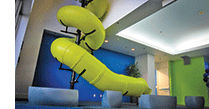
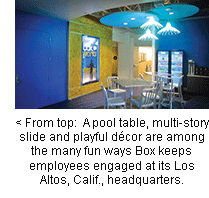
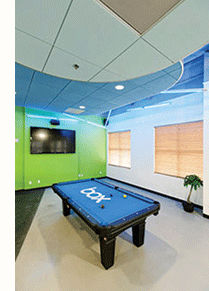 Inside the Box: One Hip Company's Approach
Silicon Valley-based
Box is one of the leading cloud file-sharing companies. The 650-person
company is young (CEO Aaron Levie is just 26), hip and tech-centric, so
mobile devices are a way of life -- and business -- here. This youthful,
forward-thinking culture has played a big part in the company's growth
and permeates everything from employee attitude to office architecture.
M&C
sat down with Doug Landis, vice president of sales productivity, to
discuss how the company culture at Box promotes respectful
multi-tasking.
Does Box have a policy about using mobile devices in meetings?
Depending
on the level of the meeting, there's some unwritten communication, and
if it's something especially confidential, then we'll be more explicit.
Otherwise, ideally, people use them only when it's appropriate and to be
productive, to take notes and share information.
 How does that differ from more traditional policies?
Culturally,
Box embraces what's happening now instead of making rules against it.
The only thing we ask is for people to be smart and be respectful.
One
of our core tenets is to "Get Sh*t Done," and everybody has bought into
that. People just don't want to be distracted or rude to those hosting
the meeting. Everyone is mindful of people's time because we're all so
busy. Another is "Make your mom proud," which means you wouldn't text in
front of your mom if she was talking to you because that's rude, so
don't do it to your colleagues.
 How is multitasking encouraged at Box?
At
our all-hands lunches on Fridays, we encourage people to tweet, make
comments and take photos, because there's usually a guest speaker or
some news, and we want people to promote and share that experience. It
drives communication to the greater community.
Also, for our
sales kickoff that I run for our sales team, we're working with
DoubleDutch to create an app with agenda, speakers, schedules and
engagement activities where we can allocate points and see the standings
on a leaderboard. We acknowledge the fact that everyone has these tech
devices and, in a sense, give them permission to use them. But we
leverage the devices for the purposes of the meeting.
How does Box embrace nontraditional work styles?
We're
a hyper-growth company, but there's also a really healthy balance of
how and when we get it done. You can bring your wacky self to work, wear
jeans and T-shirts, but you still have a job to do.
There's a
lot of flexibility. Some people work better early in the day or want to
avoid traffic, so a bunch of us come in early and leave early. We also
don't have traditional boundaries around job function or title. Just
because one person is in sales or marketing doesn't mean they're not
going to get involved in other aspects of the business.
Does Box have a meeting planner?
There's
no official meeting planner, but we do have an event team, and they're
responsible for big corporate events. Board meetings or team meetings
generally are run by whoever is hosting them.
How can cloud services affect the way we meet?
They
change the way people access information online. It allows people to be
more productive when they can get what they want, when they want it, on
any device, preview it, edit it and then send it to everyone else. --
M.L.