FOR MORE "Update: Apps for Meetings"
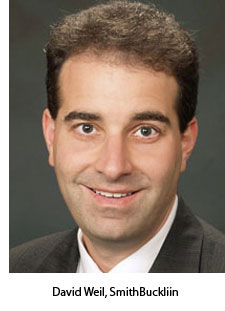 Soon, says David Weil, mobile apps for events will be the kind of ubiquitous technology that makes us look back and say, "Remember when we didn't have these? Wow."
Weil, vice president of event services for Chicago-based association management company SmithBucklin, has seen app use spread quickly among clients. "It just started bubbling up, big-time, about a year ago," he says. "I would say probably 20 percent of our clients are getting into it now, but there's also just more awareness across the board."
These are the event-specific apps attendees can access from their mobile devices, and which typically provide a wealth of event information: schedules, speaker lists, attendees lists and the like.
"Planners are coming at this from all different levels of expertise," says Jessica Levin, CMP, president and "chief connector" of Seven Degrees Communications, a social technology consulting firm based in Edison, N.J. "They're intensely interested in this."
In fact, mobile app development was the number-one hot topic at the Social Tech Clinic booth that Levin and business partner Midori Connolly oversaw at the Americas Meetings and Events Exposition, held this past June in Baltimore.
The interest has spread just as rapidly among meeting attendees who have used apps as it has among planners who want to provide them. "Attendees will soon be asking, 'Where's the mobile app?' " says Weil. "It's just really going to be standard operating procedure at some point in the next two to three years."
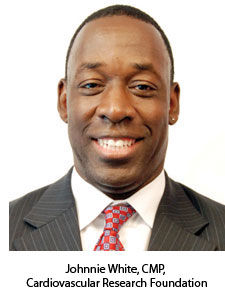 It was attendee demand that convinced the New York City-based Cardiovascular Research Foundation to create an app for its annual conference in 2010. "We'd been thinking about app development," says Johnnie White, CMP, executive director of meetings and educational services for the foundation. "But to be honest, what pushed us to actually go with it was that a couple of other conferences some of our attendees had gone to had apps, and those attendees kept telling us to do this."
Following is a look at the phenomenon and how planners can best integrate apps into their events.
Choosing an App Developer
What apps can do Before embarking on app
selection and design, planners should first consider their motivations
for using one. While it can be tempting to incorporate the latest
technology for the coolness factor alone, event apps can serve a number
of basic purposes. Levin cites these benefits:
• Make a show greener.
In most cases, an event app won't yet take the place of a printed
program, but it is a step in that direction and can allow for a
reduction in printed materials and associated costs. For the
Cardiovascular Research Foundation's upcoming fall conference, Johnnie
White plans to reduce the program's print run by 10 to 15 percent -- a
potential savings of $10,000 to $15,000.
• Provide quick access to information.
An app can provide all of the information packed into a show program,
and more -- and it's lighter, ideally faster to navigate and a lot
easier to update with late-breaking information. "The minute you have a
session change or a speaker change, or schedule a quick meeting, it's a
great way to get the changes out to your attendees," says David Weil,
"whereas in the past, we had to do a quick 22-by-28-inch sign, and get
it out there and hope people would read it."
• Add sponsorship opportunities.
Sponsors are always looking for more exposure, just as planners are
seeking additional sources of revenue. While the platform is relatively
new, app sponsorship is becoming more commonplace. "An app can
definitely pay for itself," notes Weil, "and it's a revenue
opportunity." (For more, see "Apps: Who Foots the Bill?")
• Enhance social interaction.
"Mobile technology can do a great job of aggregating social networking
tools," Levin notes. And it's easy for most app developers to build in
easy access to whatever social media platforms are being used for an
event, whether Twitter, LinkedIn, Facebook, YouTube, etc., as well as
event-customized platforms such as Pathable.
• Facilitate polling and surveys.
Such uses are factoring into future plans for many apps. The immediacy
of feedback has a powerful appeal to planners, and White expects such
functionality to make an appearance in the next CRF event app. "The idea
is, if you're going to a session in the morning, there will be an area
in the app where you can go to evaluate the program right then," he
says. The hope is that such convenience will improve both the rate and
specificity of attendee feedback. White also sees the potential for
integrating audience response technology so polling can more easily be
done during sessions, with the results immediately visible. He's
currently discussing with tech suppliers the possibility of building
that functionality into his app.
• Improve customer service.
Via an app, organizers can provide instant answers to basic attendee
questions -- the same kind of information offered by an on-site help
desk.
• Offer destination information. Depending on the
event and its location, it can make a lot of sense to partner with the
venue or local convention and visitors bureau to provide information
about public transportation, restaurants, maps and whatever else
attendees might need to get the most of out their visit.
Getting started
The time it takes a developer to churn out an event app varies widely,
depending on the degree of customization required. The time it takes to
publish the app must be factored in as well -- those that run on Apple
devices, for instance, must be approved for the Apple App Store, which
can take two to three weeks. And if an event app isn't ready in advance
of the event itself, its value is enormously deteriorated. Developer
QuickMobile, based in Vancouver, British Columbia, recommends a lead
time of at least three months to create and launch an app.
Johnnie
White started work on the Cardiovascular Research Foundation's app
nearly four months before the 2010 conference, and he made sure to
involve all key stakeholders at the organization -- the education group,
marketing, creative services and the website group.
"We
discussed what we wanted to accomplish with this app, and what we wanted
to include in terms of content -- things like city information, details
about our organization and facility-related stuff," White recalls. "We
had to establish what our audience needed."
The CRF then
researched a handful of app developers -- all with at least some
experience developing meetings apps in particular -- before sending out
requests for proposal. "We asked our IT vendors for recommendations of
companies they know who were in this business," White explains. He and
his team also looked at other meeting apps and noted the developers of
the ones they most liked. As soon as the foundation contracted with an
app developer (AppBurst), White gave the supplier a copy of the previous
year's conference guide, "so they knew what our expectations were," he
says.
In development As White and his
team found, mobile app developers offer a huge variety of products and
price points, as well as different pricing models. SmithBucklin's David
Weil, who has negotiated with suppliers for a variety of different
association events, says there is no one-size-fits-all solution. "We vet
suppliers and look at all different kinds of apps, in terms of what
makes sense for a particular client," he explains.
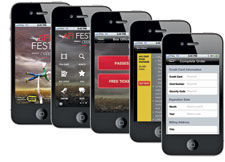 Event
organizers also must consider the features they're likely to need and
use. QuickMobile, for example, currently offers 65 features from which
to choose, according to Trevor Roald, the company's manager of sales
engineering and product experience. But the most common features and
uses still are based on what attendees are accustomed to finding in
print. "That's where this started from," Roald explains, "taking the
printed event guide and putting it on steroids. And so those things make
up a lot of the core features we're seeing in mobile apps now. The two
main motivations we see that apps address are helping attendees maximize
their time on-site, and helping them to make the connections to achieve
their objectives."
Event
organizers also must consider the features they're likely to need and
use. QuickMobile, for example, currently offers 65 features from which
to choose, according to Trevor Roald, the company's manager of sales
engineering and product experience. But the most common features and
uses still are based on what attendees are accustomed to finding in
print. "That's where this started from," Roald explains, "taking the
printed event guide and putting it on steroids. And so those things make
up a lot of the core features we're seeing in mobile apps now. The two
main motivations we see that apps address are helping attendees maximize
their time on-site, and helping them to make the connections to achieve
their objectives."
Not surprisingly, such basics as the
schedule and attendee list are the most commonly used features, notes
Roald, but it's the way attendees can access that information that makes
an app so efficient -- the ability to search through or sort the data
as they require. "One feature we have that is very popular is called
'What's On Now,' " says Roald, "and it's so simple. You click on it and
it shows you what's going on at that moment. It's popular because it's
so timely."
Attendees at the CRF's conference last year loved
that type of functionality, says White (who is not a QuickMobile
client). "But what surprised us was the number of people relying solely
on the app to navigate the entire meeting," he adds.
That led to
one of the lessons learned for the next event. "You have to have a
system in place that's going to keep this app updated nonstop," White
says. "The individuals using it are now expecting the most updated
program information to be in there. They're no longer looking at the
book for that."
While attendees have grown accustomed to printed
programs being somewhat out-of-date, White acknowledges, they're not
willing to cut any slack for inaccuracies in the mobile platform. "When
there was a situation like a speaker change that wasn't reflected in the
app, we would hear about it," he says. "They'd come to one of our
offices and tell us."
As apps become more widely used at trade
shows, having interactive maps and exhibitor lists are fast becoming
essential app ingredients, too, says Roald. "They help attendees make
the best use of their time on-site. You can provide them with an
interactive trade show floor map, where not only can you sort the
exhibitors contextually or by what they're supplying, you also can link
to them or click on their booth and go directly to a map."
FOR MORE "Update: Apps for Meetings":
> Embracing the iPad
> Tomorrow's Apps for Meetings
> Games Attendees Play